Product
Docker management built around multiple hosts.
Docker hosts, containers, Compose workloads and the operational context around them, in one self-hosted control plane.
01Hosts
One view of every connected host.
Connectivity, Docker version, agent state, workload counts and the host's own CPU, memory and disk, without switching between machines.
A host that has been replaced can be archived: it leaves the working lists and keeps everything it carried, and it can be brought back. Archiving is not a delete — no host record is removed, and none is merged with another.
| Host | State | Containers | Docker | Agent |
|---|---|---|---|---|
| docker-01 | 12 | 27.3.1 | Connected | |
| docker-02 | 8 | 27.3.1 | Connected | |
| storage-01 | 6 | 26.1.4 | Connected | |
| apps-01 | 12 | 27.3.1 | Connected |
02Containers
Operate containers with context.
Read a container's state, image, health and logs before acting on it. Every container on a connected host can be started, stopped and restarted; the ones Dockplane created can also be changed and removed.
State and health
Current state, health check result and the image a container is running.
Run state
Start, stop and restart map to defined agent capabilities rather than free-form commands.
Create and change
Define a container and edit it later. Editing replaces it and keeps its identity and history, and volumes are never removed.
A container Dockplane did not create keeps a read-only configuration: its environment is deliberately not read back off a host, so there is nothing to edit from. It can still be inspected, followed and run.
03Stacks
Compose files Dockplane keeps, and Compose projects it finds.
A managed stack is a Compose file Dockplane holds, with its environment, its encrypted values and every revision it has had. Deploying an earlier revision is the rollback — it restores configuration, not volumes.
A Compose project already running on a host is a different thing: it is discovered, inspected and grouped, and it stays read-only. Dockplane does not take one over.
Nextcloud
- nextcloudnextcloud:30-apache
Running - postgrespostgres:16-alpine
Running - redisredis:7-alpine
Running
04Logs and events
Follow what changed.
Workload logs, normalized events and action history, so you can read what happened and check an operation against what it reported.
State
Running
up 6 days
Health
Unhealthy
check failing since 10:43
Restarts
3
since it was created
Logs
10:42:18 nextcloud Server started, listening on port 8010:42:19 nextcloud Cron job finished in 0.42s10:43:02 paperless-db Health check failed (exit code 1)10:43:12 paperless-db Health check failed (exit code 1)10:43:22 paperless-db Container marked unhealthyRecent events
- 10:43:22Workload marked unhealthypaperless-db
- 10:31:05Container restartednextcloud
- 09:58:41Host reconnectedstorage-01
05Permissions and audit
Operational access without all-or-nothing permissions.
Permissions are enforced by the backend, and security-relevant and infrastructure-changing actions are recorded in the audit trail. Operational access can be granted more precisely than by handing out a privileged host login.
Example permissions
hosts.readcontainers.restartcontainers.logscontainers.deletestacks.deployaudit.read06Versions
Know what this deployment is running.
The control server and the browser application are two images and report themselves as two. Alongside them: the database schema, the agent protocol range, and what every enrolled agent reports.
Mixed agent versions
A fleet part-way through a rollout is marked as mixed rather than as broken. An older agent keeps working while its protocol version is one the server accepts.
States worth naming
An agent outside the accepted protocol range is reported as an incompatibility. One that has never reported a readable version is counted as unknown, not as out of date.
An update check you switch on
Dockplane can ask the public release listing whether something newer exists. It is off until an administrator turns it on, and nothing acts on the answer: there is no auto-updater and no agent auto-upgrade.
07Interface
Dockplane, as it actually looks.
Four views from a running installation. The hosts, workloads and stacks in them are made up for the picture; the interface around them is not.
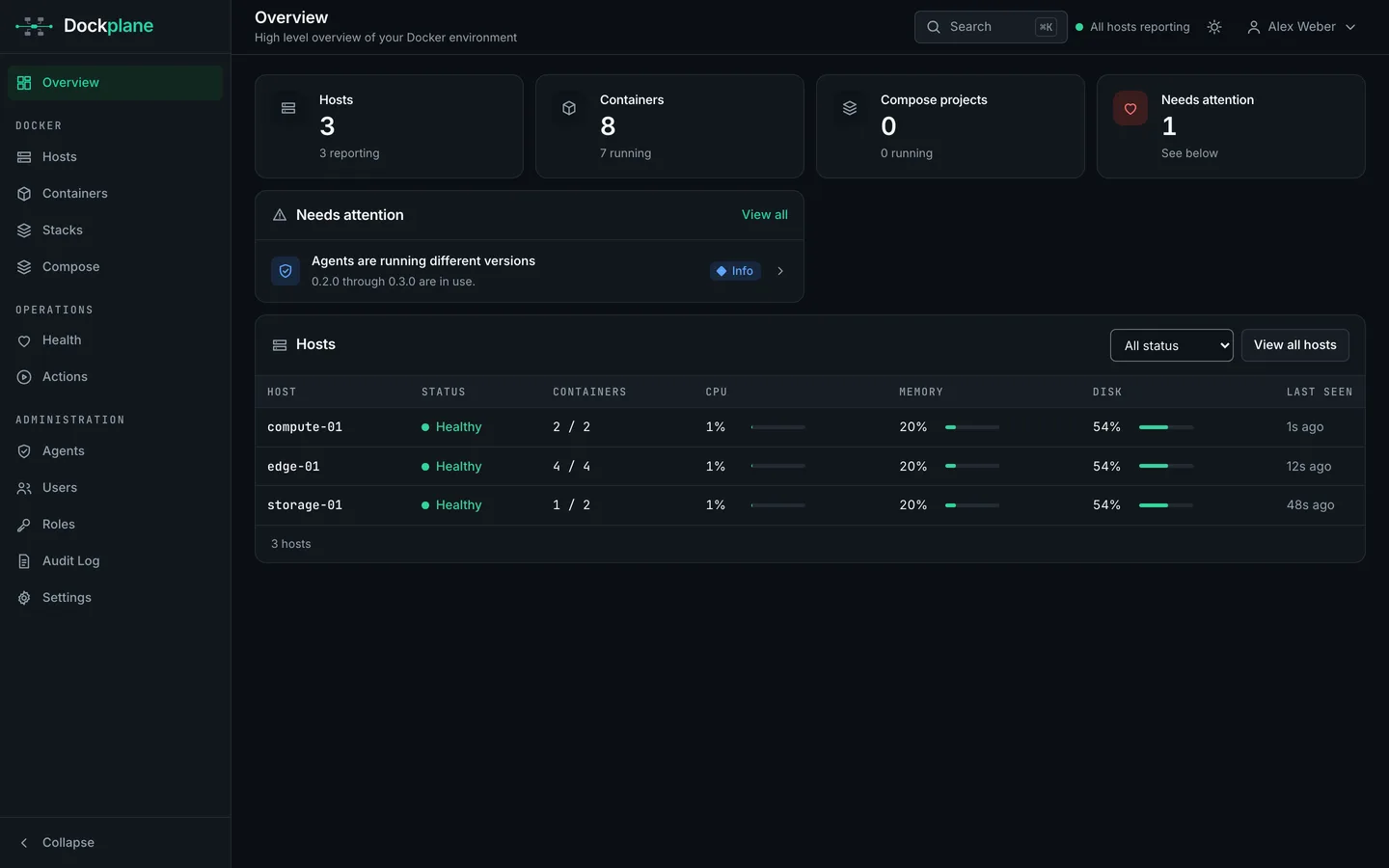
Overview 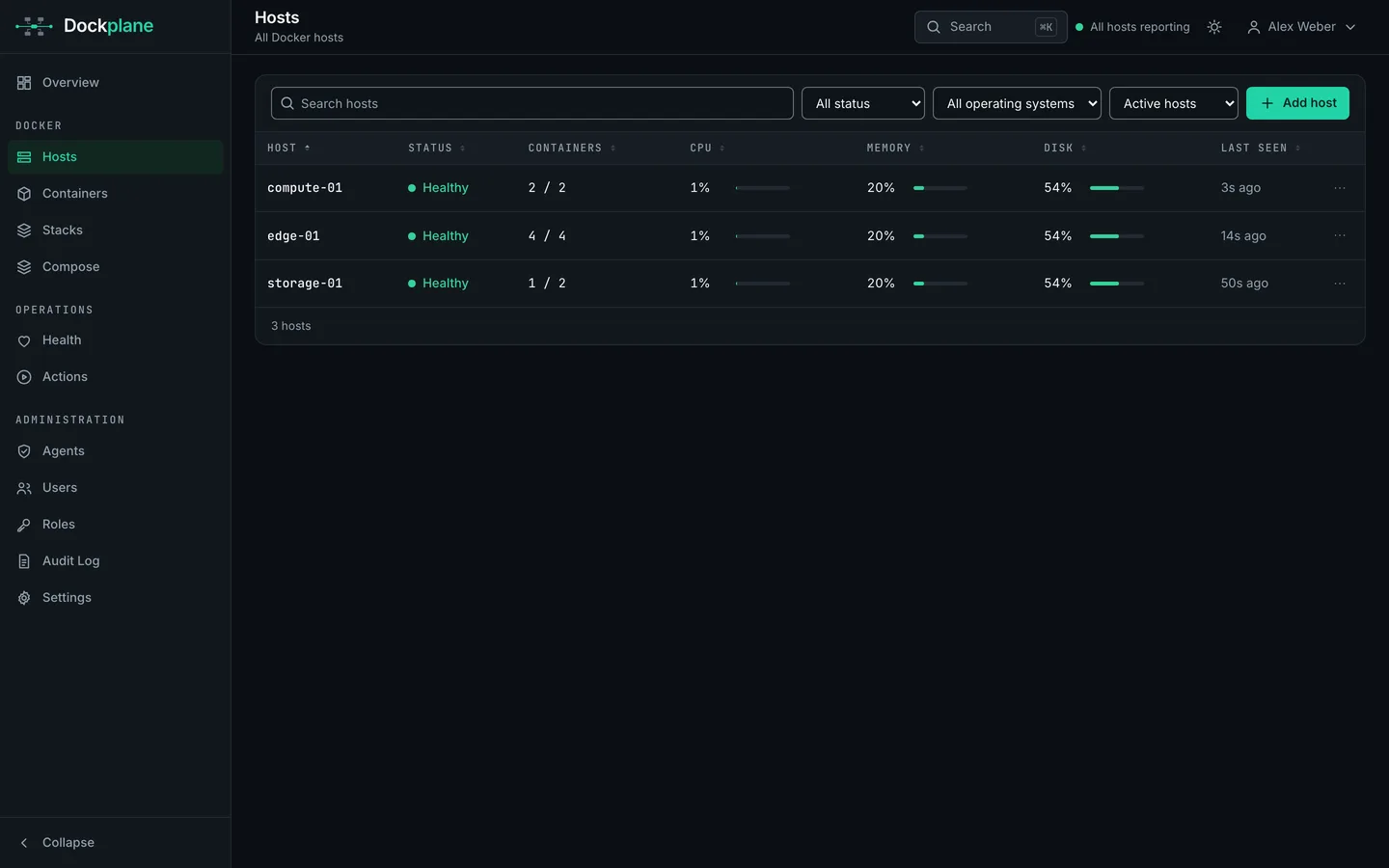
Hosts 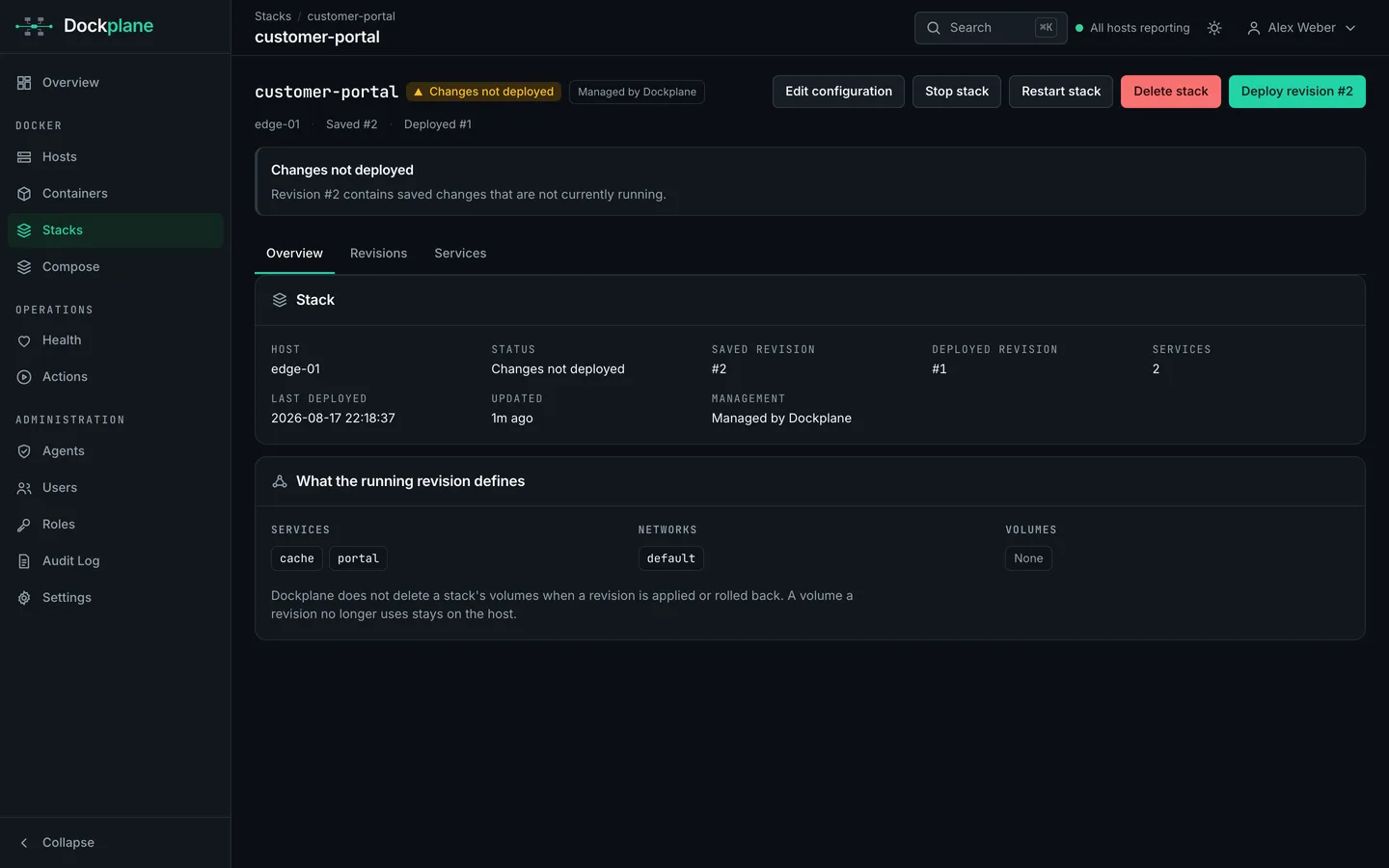
A managed stack 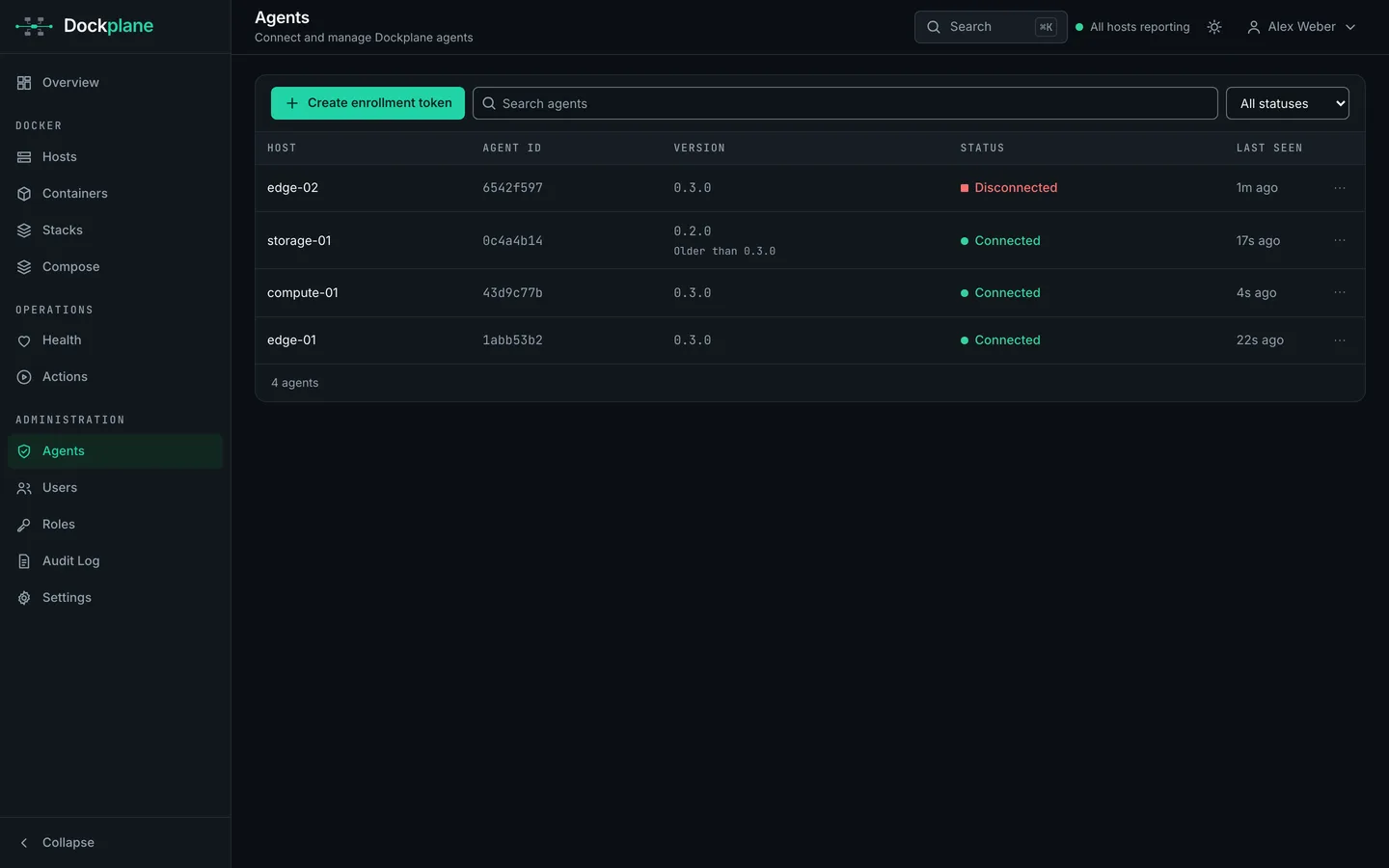
Agents and their versions
08Scope
A Docker control plane, not a datacenter suite.
Dockplane stays inside the Docker operating model. The full capability list, the planned direction and the parts that stay outside the product are set out on the features page.
In scope
- Docker hosts and their agents
- Containers, created here or discovered
- Managed Compose stacks and their revisions
- Compose projects found on a host
- Logs, events and health state
- Host metrics
- Users, roles and backend-enforced permissions
- Agent enrollment and revocation
- Audit history
Bring your Docker hosts together.
Deploy Dockplane and manage your Docker environment from one self-hosted control plane.